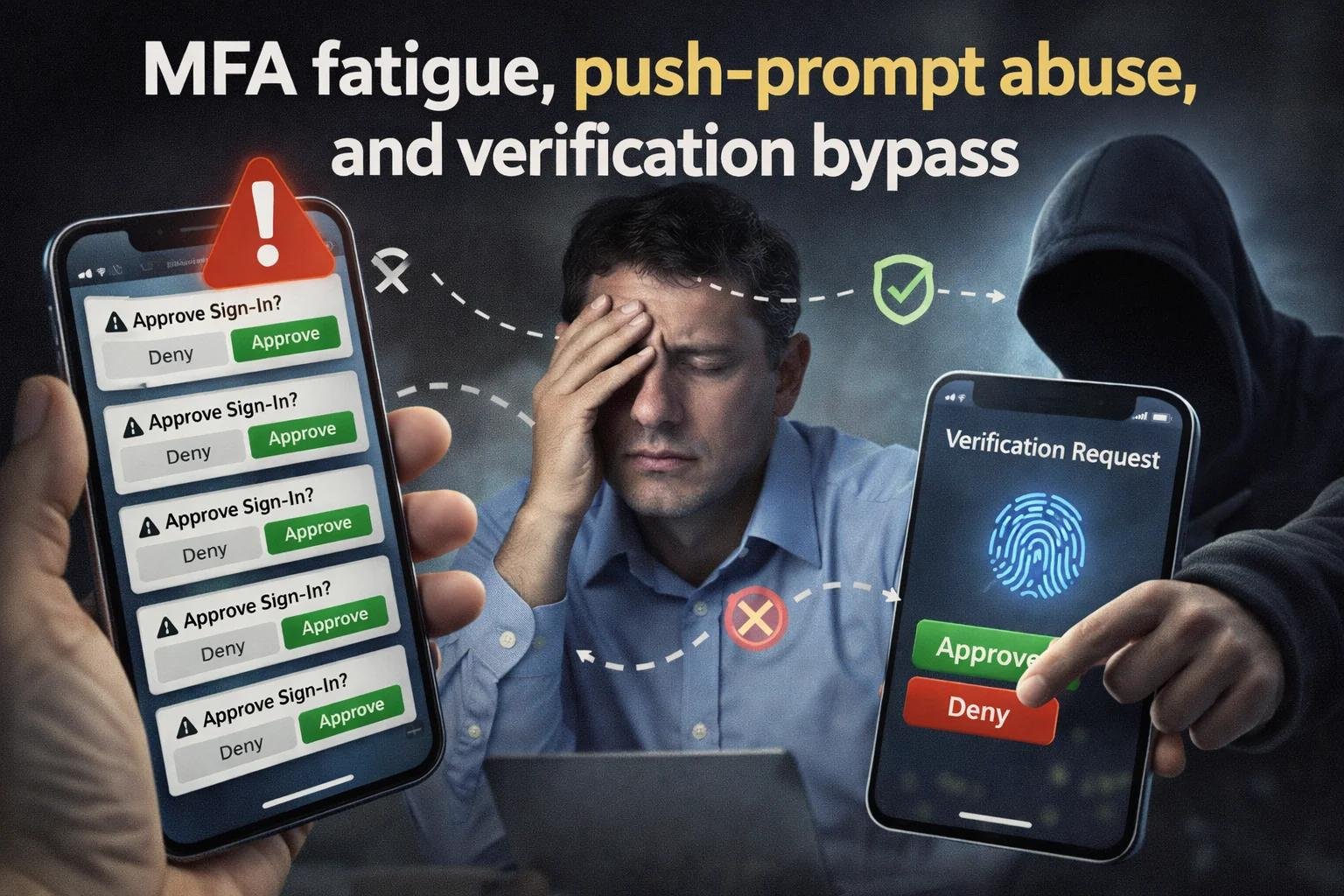
Have you ever received a login notification on your phone when you were not trying to access an account? Now imagine receiving the same notification again and again, even after ignoring it several times. It can quickly become annoying, especially when you have no idea why it is happening.
This is one way cybercriminals try to trick people through MFA fatigue attacks.
Multi-factor authentication (MFA) is designed to make online accounts more secure. It asks users to confirm their identity through an additional step, such as approving a notification, entering a verification code, or using a security key. Even if someone knows your password, this extra step can help prevent unauthorized access.
However, attackers have found a way to take advantage of people who become tired of repeated notifications. By sending multiple login approval requests, they hope the account owner will eventually approve one without checking whether the sign-in is legitimate.
Understanding how these attacks happen can help you recognize suspicious activity and protect your personal information before a small security problem becomes a serious one.
What Is an MFA Fatigue Attack?
An MFA fatigue attack happens when a cybercriminal repeatedly triggers authentication requests in an attempt to convince someone to approve a login they did not initiate.
You may also hear this technique called MFA bombing or push bombing.
For example, imagine that someone has obtained your email password. They try to sign in from another device, but your authentication app asks for your approval. Instead of giving up, the attacker continues triggering login requests.
Your phone keeps buzzing. You may start wondering whether something is wrong with your account or whether the notifications are simply a technical problem. The attacker is hoping that you will eventually tap Approve just to stop the interruptions.
If you approve the wrong request, the attacker may be able to access your account.
The danger is not that multi-factor authentication has no value. The problem is that attackers try to turn a security check into a moment of confusion, frustration, or carelessness.
How Do MFA Fatigue Attacks Work?
MFA fatigue attacks often begin with stolen login credentials and develop through a series of steps.
1. An Attacker Gets Hold of Your Password
The attacker may obtain a password through a phishing email, a fake website, a data breach, or password reuse across multiple accounts.
Having a valid password gives the attacker an opportunity to attempt a login, but MFA may still prevent access.
2. Repeated Login Requests Begin
The attacker attempts to sign in to the targeted account. Each attempt may trigger a notification on the legitimate user’s phone or authentication app.
Instead of stopping after one unsuccessful attempt, the attacker keeps trying to generate additional prompts.
3. The Account Owner Becomes Confused or Frustrated
After receiving several notifications, the user may become distracted or irritated. Some people may even assume the requests are accidental and approve one without carefully checking it.
In certain attacks, criminals also contact victims while pretending to be IT support staff. They may claim that an approval is necessary to fix an account problem.
4. An Unauthorized Login May Succeed
If the user approves a malicious request, the attacker may complete the sign-in process. Depending on the account’s permissions and other security protections, the criminal could then access emails, business documents, or other sensitive information.
The attacker may also try to use the compromised account to target coworkers, customers, or other connected accounts.
This is why an unexpected authentication request should always be treated carefully.
Why Are MFA Fatigue Attacks a Serious Security Risk?
A repeated notification may seem like a minor inconvenience, but approving the wrong request can create much bigger problems.
Personal Information Can Be Exposed
If an attacker gains access to a personal email account, they may find private conversations, documents, account recovery messages, and other sensitive information.
Email accounts are particularly valuable because they are often used to reset passwords for other online services.
Business Accounts Can Be Compromised
An employee’s account may provide access to company email, shared files, customer records, or internal communication platforms. An attacker could misuse that access to steal information or impersonate the employee.
Financial Scams Can Follow
Criminals may use a compromised business email account to send convincing payment requests or change payment instructions. Because the messages come from a legitimate account, recipients may be less likely to question them.
One Compromised Account Can Affect Others
Attackers may use an account they have taken over to send phishing messages to colleagues or customers. This can create additional opportunities for fraud and further compromise.
The impact depends on which account is affected, what information it can access, and how quickly the suspicious activity is detected.
Warning Signs of an MFA Fatigue Attack
Recognizing unusual authentication activity early can help you avoid making a costly mistake.
Pay attention to these warning signs:
- Login requests you did not initiate: Your phone displays an approval notification even though you are not signing in.
- Repeated notifications within a short time: Your authentication app keeps requesting approval for unfamiliar login attempts.
- Unexpected verification codes: You receive codes or account recovery messages that you never requested.
- Unfamiliar sign-in information: A notification refers to a device, browser, or location you do not recognize.
- Pressure from someone claiming to be IT support: A caller or message tells you to approve a login immediately, even though you did not start one.
One unexpected notification does not necessarily mean someone has accessed your account. However, repeated requests can indicate that someone is attempting to sign in with your credentials.
When something feels unusual, stop and verify the situation rather than approving the request.
How Can You Protect Yourself From MFA Fatigue Attacks?
You do not need advanced technical knowledge to follow some important security practices. A few careful decisions can make it much harder for attackers to take advantage of authentication notifications.
1. Never Approve a Login You Did Not Start
This is the simplest and most important precaution.
If you are not trying to sign in, do not approve the request. Do not assume that accepting one notification will make the problem disappear safely.
If the prompts continue, report them to your IT team if it is a work account. For a personal account, use the service’s official security settings to investigate the activity.
2. Use a Strong, Unique Password
A strong password makes it harder for attackers to guess your credentials. Using a different password for every important account also prevents one compromised password from putting multiple accounts at risk.
Consider using a reputable password manager to create and store unique passwords.
If you receive repeated unexpected authentication prompts, treat the situation as a possible sign that your credentials have been exposed. Change the password through the official website or app using a trusted device.
3. Enable Number Matching When Available
Some authentication systems require users to enter or select a number shown during the sign-in process instead of simply tapping an approval button.
This feature, known as number matching, makes it more difficult for attackers to succeed through indiscriminate approval requests.
However, number matching is not a complete solution. Users must still verify that they initiated the sign-in and are interacting with the legitimate service.
4. Consider Passkeys or Security Keys
Traditional approval notifications can create opportunities for social engineering. Passkeys and FIDO2 security keys offer stronger protection against many phishing attacks because they are designed to verify the legitimate website or service.
Where supported, these methods are worth considering for email accounts, business applications, and administrator accounts.
5. Keep Your Devices and Authentication Apps Updated
Security updates can fix weaknesses and improve the protection of your devices. Install updates from trusted sources, use a secure screen lock, and remove old authentication devices that you no longer use.
It is also helpful to review your account’s security settings regularly so that unfamiliar devices or authentication methods do not go unnoticed.
6. Report Suspicious Requests Immediately
If you receive repeated login prompts at work, notify your IT or security team. Share when the notifications began and whether you accidentally approved any of them.
Avoid responding to unexpected calls or messages that pressure you into approving a login. Contact your IT department through a known, trusted channel instead.
Quick reporting gives security teams a better opportunity to investigate the attempts and protect the account.
What Should Businesses Do to Prevent MFA Fatigue Attacks?
Employees play an important role in account security, but businesses should not expect people to identify every threat on their own. Technical safeguards and clear security procedures are equally important.
Organizations can reduce their exposure by taking the following steps:
- Adopt phishing-resistant authentication: Use passkeys or security keys where supported, particularly for privileged and sensitive accounts.
- Limit excessive authentication requests: Apply appropriate controls to reduce repeated login attempts and unnecessary notifications.
- Monitor unusual sign-in activity: Investigate repeated authentication failures, suspicious locations, and unexpected approval patterns.
- Use conditional access policies: Apply suitable access restrictions based on device security, sign-in risk, and other relevant signals.
- Train employees regularly: Explain why unexpected approval requests should be rejected and how suspicious activity should be reported.
- Review user permissions: Limit access to the information and systems employees actually need.
Businesses should also have a clear incident-response process. Employees need to know whom to contact if they receive suspicious login requests or accidentally approve one.
The goal is to make account protection a combination of secure technology, sensible procedures, and informed users.
What Should You Do If You Accidentally Approve a Suspicious Request?
Mistakes can happen, especially when notifications arrive repeatedly. If you approve a request that you did not initiate, take action as soon as possible.
Secure Your Account
Change your password through the official service using a trusted device, particularly if you suspect that someone else knows it.
Contact Your IT or Security Team
If the account belongs to your employer, report the incident immediately. The security team can investigate the login and determine whether additional action is needed.
Review Active Sessions
Check for unfamiliar devices or sessions and sign them out where possible. Your security team may also need to revoke active sessions or tokens.
Check Your Security Settings
Look for unfamiliar recovery details, registered authentication methods, or changes you did not make.
Protect Other Accounts
If you reused the same password on other websites, change those passwords as well. Use unique passwords for each account.
Watch for Further Suspicious Activity
Review recent sign-ins, account changes, and messages sent from the affected account. If sensitive information may have been exposed, follow the relevant incident-reporting procedures.
Acting quickly can help limit the damage, although the exact response depends on the service and the level of access the attacker obtained.
Conclusion
MFA fatigue attacks show how cybercriminals can exploit ordinary human behavior to get around security protections. They do not always need to break into a system through a complicated technical weakness. Sometimes, they simply rely on someone becoming tired of repeated notifications and approving the wrong request.
The best response is to stay alert and treat every unexpected login prompt seriously. Never approve a request you did not initiate, use strong and unique passwords, consider phishing-resistant authentication, and report suspicious activity as soon as possible.
For businesses, combining secure authentication technology with employee awareness and effective monitoring can make a meaningful difference.
Frequently Asked Questions
1. What is an MFA fatigue attack?
An MFA fatigue attack occurs when a cybercriminal repeatedly sends multi-factor authentication requests to a user, hoping the person will eventually approve an unauthorized login. This technique is also known as MFA bombing or push bombing.
2. Why are MFA fatigue attacks dangerous?
These attacks can allow criminals to access personal or business accounts if a user approves a login they did not initiate. Once inside, attackers may attempt to steal sensitive information, impersonate the account owner, or target other users.
3. How can I protect my account from MFA fatigue attacks?
Never approve an authentication request you did not initiate. Use strong, unique passwords and consider phishing-resistant authentication methods, such as passkeys or security keys. If repeated login prompts appear, investigate the activity and report it to your IT or security team when appropriate.
4. What should I do if I accidentally approve a suspicious login?
Secure your account immediately using the official website or app. Change your password if it may have been compromised, revoke unfamiliar sessions, review your security settings, and notify your IT or security team if it is a work account. Also check for any suspicious account activity.