
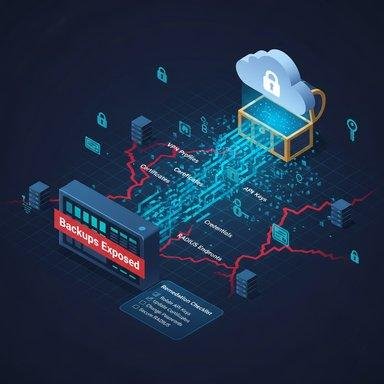
Cloud backups have become an important part of protecting business information. Companies rely on them to preserve customer records, financial documents, databases, application files, and other valuable data. When a system crashes or a cyberattack disrupts operations, these backups can help businesses recover without starting from scratch.
However, storing a copy of important data does not guarantee that it will always be available when needed. Cybercriminals are increasingly targeting backup environments to interfere with recovery, remove stored copies, or make critical information unusable. This threat is known as cloud backup tampering.
Unlike an ordinary data breach, where attackers focus on stealing information, backup tampering can target an organization’s ability to recover after an incident. If production systems and their backup copies are affected, the consequences can be much more serious.
Understanding how cloud backup tampering occurs, recognizing its warning signs, and applying the right security measures can help organizations protect their data and maintain business continuity.
What Is Cloud Backup Tampering?
Cloud backup tampering occurs when someone makes unauthorized changes to backup data, storage settings, access permissions, or recovery configurations. These changes may affect the availability, integrity, or reliability of stored copies.
For example, a business might automatically back up its customer database every night. If an attacker gains access to an account with backup management privileges, they may attempt to delete older recovery points or modify the backup retention policy. If the live database is subsequently damaged, the business could discover that its expected recovery options are no longer available.
Backup tampering does not always involve deleting files. An attacker may also interfere with backup schedules, change storage permissions, or damage stored information in ways that are difficult to notice immediately.
The main concern is that a backup may appear to exist while failing to provide a trustworthy copy during recovery.
How Do Attackers Target Cloud Backup Systems?
Cloud backup environments can be affected by compromised accounts, excessive permissions, weak security configurations, and gaps in monitoring. The following methods illustrate how attackers may interfere with backup protection.
1. Compromising Cloud Administrator Accounts
Administrator accounts often have broad control over cloud resources. If an attacker steals the credentials of a privileged user, they may gain the ability to change backup settings, manage stored copies, or modify access permissions.
These credentials can be exposed through phishing, password reuse, compromised devices, or poorly secured authentication processes.
The risk increases when one account can control production systems and delete their backups. In that situation, a single compromised identity may threaten several layers of data protection.
Organizations should secure privileged accounts with multifactor authentication, strong access controls, and regular permission reviews.
2. Deleting Important Backup Copies
Backup deletion is one of the most damaging forms of tampering. Attackers who obtain sufficient permissions may try to remove recovery points or interfere with retention settings so that older copies are no longer available.
This can become particularly dangerous when an attacker has been present in a network for an extended period. If a business discovers the compromise late, it may find that some of its available backups are missing or that its remaining recovery points contain already-compromised data.
Maintaining protected recovery copies and monitoring deletion activity can help reduce this risk.
3. Altering Backup Configurations
Backup systems depend on scheduled jobs, retention rules, storage destinations, and access policies. Changes to these settings can weaken protection without immediately affecting the files already stored.
For instance, an unexpected configuration change could prevent future backups from running or reduce the period for which recovery copies are retained.
These problems may remain unnoticed until a system failure or security incident occurs.
Businesses should monitor configuration changes and investigate unexpected modifications to backup policies, storage permissions, and scheduled tasks.
4. Corrupting Stored Backup Data
A backup is useful only when its contents are complete and trustworthy. Attackers may attempt to modify stored information or interfere with backup processes so that recovered files are incomplete, damaged, or unreliable.
This creates a serious challenge because a completed backup job does not necessarily prove that every stored file can be restored successfully.
Regular integrity checks, validation procedures, and restoration tests can help organizations identify problems before they affect business operations.
5. Targeting Backups During Ransomware Incidents
Ransomware attacks can cause greater disruption when attackers also target the systems used for recovery. If backup copies are deleted, encrypted, or otherwise compromised, restoring normal operations may become considerably harder.
Even when some backups remain available, businesses must determine whether those copies are clean and whether the original security weakness has been addressed.
Separating backup infrastructure from production environments and protecting recovery copies against unauthorized changes can help organizations maintain options during a ransomware incident.
Why Is Cloud Backup Tampering Dangerous?
The impact of backup tampering extends beyond losing a few files. It can affect the entire process of restoring business operations after a cyberattack or technical failure.
Extended business downtime: If reliable backups are unavailable, teams may need additional time to rebuild systems, recover information, and verify that applications work correctly.
Permanent data loss: When production data and all usable recovery copies are compromised, some information may be impossible to retrieve.
Financial pressure: Business interruptions, technical investigations, recovery services, and contractual obligations can increase the overall cost of an incident.
Customer confidence issues: Customers expect businesses to handle their information responsibly. Repeated service disruptions or lost records can weaken trust.
Complicated incident investigations: Missing or altered backups may make it harder to understand what happened, identify affected systems, and restore a reliable operating environment.
The consequences depend on the type of information involved, the availability of independent recovery copies, and how quickly the organization detects the problem.
Warning Signs of Cloud Backup Tampering
Detecting unusual activity early can help security teams respond before additional recovery resources are affected. Organizations should pay attention to changes that cannot be explained by normal maintenance or approved administrative work.
Important warning signs include:
- Unexpected deletion of backup files or recovery points.
- Sudden changes to backup schedules or retention policies.
- Repeated backup job failures without a clear technical reason.
- New administrator accounts or unexplained permission changes.
- Unusual access to backup storage outside expected working patterns.
- Unexpected modifications to storage destinations or security settings.
- Failed restoration tests or inconsistencies in recovered information.
One unusual event does not automatically mean that a cyberattack has occurred. Software problems, configuration mistakes, and legitimate administrative changes can produce similar symptoms.
However, unexplained changes should be investigated promptly, particularly when multiple warning signs appear together.
How to Protect Cloud Backups From Tampering
Protecting backups requires a combination of preventive controls, continuous monitoring, and practical recovery testing. No single security measure can address every possible threat.
1. Use Immutable Backups
Immutable backups are designed to prevent stored data from being changed or deleted during a specified protection period.
When correctly configured, immutability can help preserve recovery copies even if an attacker compromises an account with access to other cloud resources.
Organizations should understand the limitations of their chosen platform, configure suitable retention periods, and verify that the protection cannot be easily bypassed through ordinary administrative actions.
2. Apply Strict Access Permissions
Not every employee or administrator needs permission to manage backup storage. Giving users only the access required for their responsibilities helps limit the damage caused by compromised accounts.
For example, a developer who manages an application should not automatically be allowed to delete all backup archives.
Separate backup administration from routine system management wherever practical. Review permissions regularly and remove unnecessary access when responsibilities change.
3. Strengthen Account Security
Strong authentication is essential for protecting cloud environments. Multifactor authentication adds another verification step, reducing reliance on passwords alone.
Organizations should require additional protection for administrator accounts and users who can change backup settings or delete stored recovery points.
They should also use unique passwords, secure authentication methods, and alerts for unusual sign-in activity. Phishing-resistant authentication can provide additional protection for privileged users when supported.
4. Keep Independent Backup Copies
Relying on one backup location creates a potential single point of failure. If an attacker gains control of that environment, several recovery copies may be affected at once.
Businesses should consider keeping separate copies in isolated storage environments, using distinct administrative credentials, and maintaining offline or otherwise disconnected copies when appropriate.
A commonly used approach is the 3-2-1 backup strategy: maintain three copies of important data, store them on two different types of storage media, and keep one copy off-site. Organizations should adapt this approach to their cloud architecture and recovery requirements.
The important principle is to ensure that not every copy depends on the same account, system, or security boundary.
5. Monitor Backup Activity Continuously
Security monitoring can help identify suspicious changes before they cause a major recovery problem.
Configure alerts for important events, including backup deletion, changes to retention settings, unusual access attempts, and modifications to administrative permissions.
Where possible, send audit logs to a separately protected monitoring environment. This makes it harder for someone who compromises the backup system to erase the records needed for investigation.
Security teams should also establish clear procedures for responding to unexpected backup activity.
6. Test Backup Restoration Regularly
Creating backups is only one part of a reliable recovery plan. Organizations must also confirm that their data can be restored correctly.
Schedule restoration tests for important files, databases, applications, and system configurations. Check that the recovered information is complete and that essential services function as expected.
Testing should also consider situations in which normal administrator accounts or production systems are unavailable.
Document the results, correct any identified weaknesses, and repeat tests after significant changes to the backup environment.
7. Establish Suitable Retention Policies
Backup retention determines how long recovery points remain available. Keeping too few versions may leave an organization without a clean copy if an attack remains undetected for several days or weeks.
Retention policies should reflect business needs, legal obligations, the importance of the data, and the time required to detect and investigate incidents.
Protect these settings from unauthorized changes and review them regularly to ensure they continue to meet recovery requirements.
What Should You Do If Cloud Backup Tampering Is Suspected?
If unusual activity suggests that backup data or settings have been compromised, organizations should follow a controlled incident response process.
Step 1: Investigate the activity. Identify the affected accounts, storage locations, backup jobs, and recovery points. Check audit logs to understand which changes occurred and when.
Step 2: Contain the threat. Secure compromised accounts, revoke unauthorized sessions, and restrict suspicious access. Coordinate containment carefully to avoid destroying evidence or disrupting essential recovery operations.
Step 3: Protect remaining recovery copies. Review permissions and isolate trusted backups from affected systems. Confirm that important copies have not been exposed to the same compromised credentials.
Step 4: Preserve evidence. Retain relevant audit logs, configuration records, and incident details. These records can help determine how the attack happened and whether other systems were affected.
Step 5: Verify backup integrity. Check candidate recovery copies and restore them in a controlled environment. Do not assume that the newest backup is necessarily the safest one.
Step 6: Restore systems safely. Recover critical services from verified copies after addressing the original security weakness. Monitor restored systems for signs of continuing unauthorized access.
For significant incidents, organizations should involve their cybersecurity, cloud administration, and incident response teams. They should also follow applicable reporting requirements and established recovery procedures.
The Role of Recovery Planning in Cloud Security
Effective backup protection should be part of a wider business continuity and disaster recovery plan. Organizations need to know which systems are most important, how much data loss they can tolerate, and how quickly services must return to normal.
Two measurements help establish these expectations:
- Recovery Point Objective (RPO): The maximum amount of data loss, measured in time, that the business can reasonably tolerate.
- Recovery Time Objective (RTO): The target time within which a system or service should be restored.
For example, a business that processes frequent customer transactions may require more frequent backups than an organization that stores information that changes only occasionally.
Recovery plans should also assign responsibilities, document restoration procedures, and establish alternative ways to access backups if the primary cloud environment becomes unavailable.
Most importantly, these plans should be tested under realistic conditions rather than treated as documents that are updated only after an incident.
Conclusion
Cloud backup tampering is a serious cybersecurity threat because it can undermine the very systems organizations depend on to recover from data loss and cyberattacks. By compromising administrator accounts, deleting recovery points, altering configurations, or damaging stored information, attackers can make an otherwise manageable incident much more difficult to resolve.
Businesses can reduce these risks by implementing immutable backups, limiting administrative permissions, strengthening authentication, maintaining independent recovery copies, and monitoring suspicious activity. Regular restoration testing is equally important because a backup provides real protection only when it can be recovered successfully.
Cloud security is not just about keeping data in a safe place. It is about ensuring that the data remains trustworthy and accessible when the business needs it most. A well-protected backup strategy helps organizations recover with greater confidence and remain prepared for unexpected disruptions.
Frequently Asked Questions
1. What is cloud backup tampering?
Cloud backup tampering occurs when unauthorized individuals modify, delete, or interfere with stored backups, potentially preventing businesses from recovering important data.
2. How do attackers compromise cloud backups?
Attackers may exploit stolen credentials, compromised administrator accounts, or weak security settings to delete backups or disrupt recovery processes.
3. How can businesses prevent cloud backup tampering?
Businesses can use immutable backups, multi-factor authentication, restricted access permissions, separate backup copies, and continuous security monitoring.
4. Why should cloud backups be tested regularly?
Regular testing confirms that backup data can be restored successfully and helps identify corrupted files, incomplete copies, and recovery problems before an emergency.